
Blog · 2024-06-26
Using AI to build an automated Slack summary tool
How the Ben's Bites team uses Claude and Replit to automatically generate summaries of Slack community chats and and new tutorial updates.
Today, we're publishing a post by Keshav Jindal, who leads our daily newsletter content and operations.
Here at Ben's Bites, we’re building a thriving Slack community for our paid members. If you're reading this, you're probably part of it (if not, why not?). Every week, we have dozens of messages in different channels - people helping each other, solving problems, posting inspiring projects etc. This engagement is fantastic for community building. But as anyone with a community will know, keeping track of all this activity can be difficult.
The challenge: information overload
We launched our tutorials platform and Slack community earlier this year. Creating a weekly members’ digest email seemed like the perfect solution to help everyone (including ourselves) stay up-to-date on Slack activity without scrolling through a week's worth of messages.
We sent these digests manually to start with. We’d dig back through Slack posts and our CMS, literally copy-pasting new updates and content into a weekly email roundup.
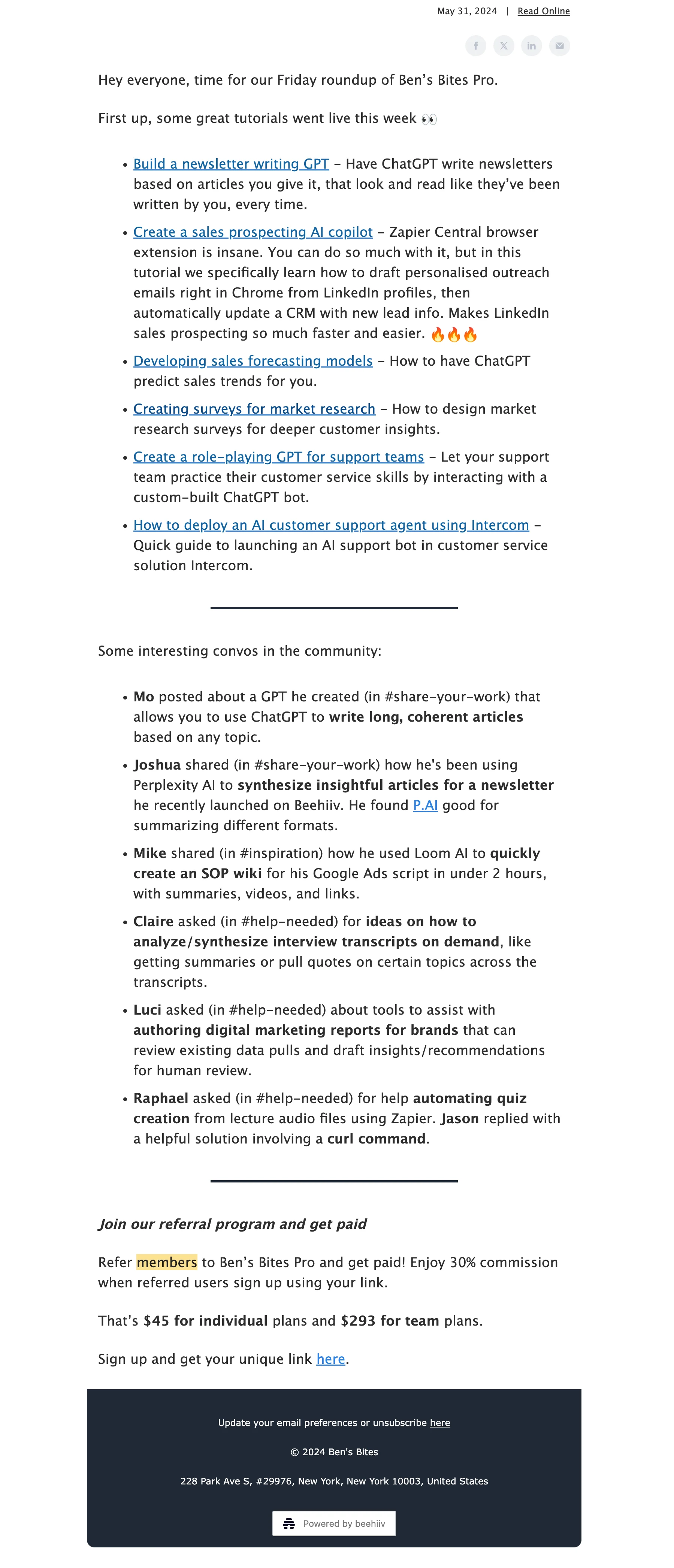
We did it for one week, two weeks, three weeks… By the fourth week, we knew there had to be a better way.
So, being an AI tutorial platform, we did the obvious: set out to build an AI-powered tool to do the summaries for us.
From copy-paste drudgery to AI-powered magic
Here's how we went from manual labour to an automated process:
1. The lazy test
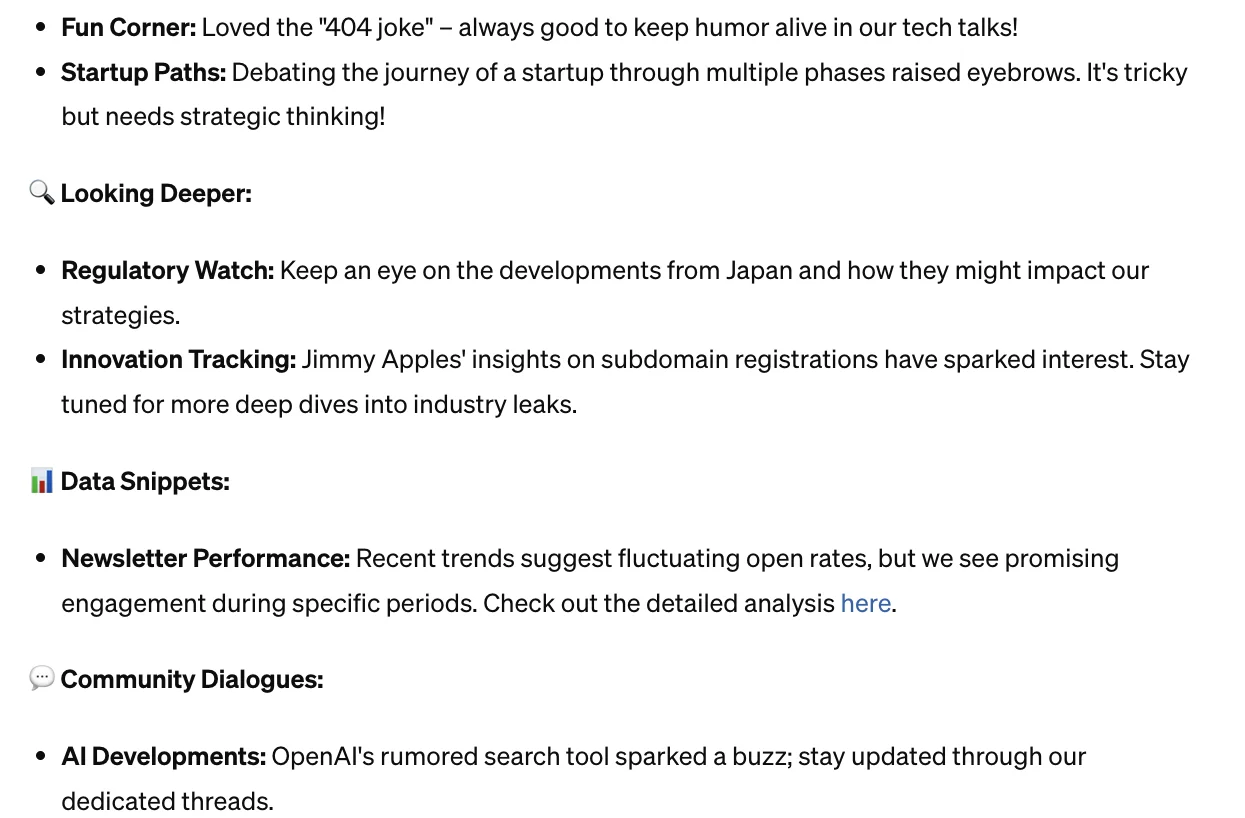
I began by copy-pasting our team’s internal Slack workspace messages into ChatGPT and Claude, and asking for a summary. Could AI summarise Slack conversations without hallucinating quantum physics?
Turns out it could:
2. Prompt engineering
Once I knew it had potential to work, I crafted a basic prompt that went something like this:
Here's the message history of a Slack channel: [copy-pasted text]. Summarise each conversation one by one, like this [specify format]. Here are some examples of successful summaries: [examples].
We learned a few key things from this exercise:
- Output quality is best when the desired format and examples the AI can learn from are both provided in the prompt. Format + examples > only examples > only format.
- Proper formatting of Slack messages in the prompt (adding usernames, labelling replies as part of a conversation) was crucial for coherence. Prompts without formatting (raw copy-paste of Slack messages) lead to summaries with replies from different conversations mixed with each other.
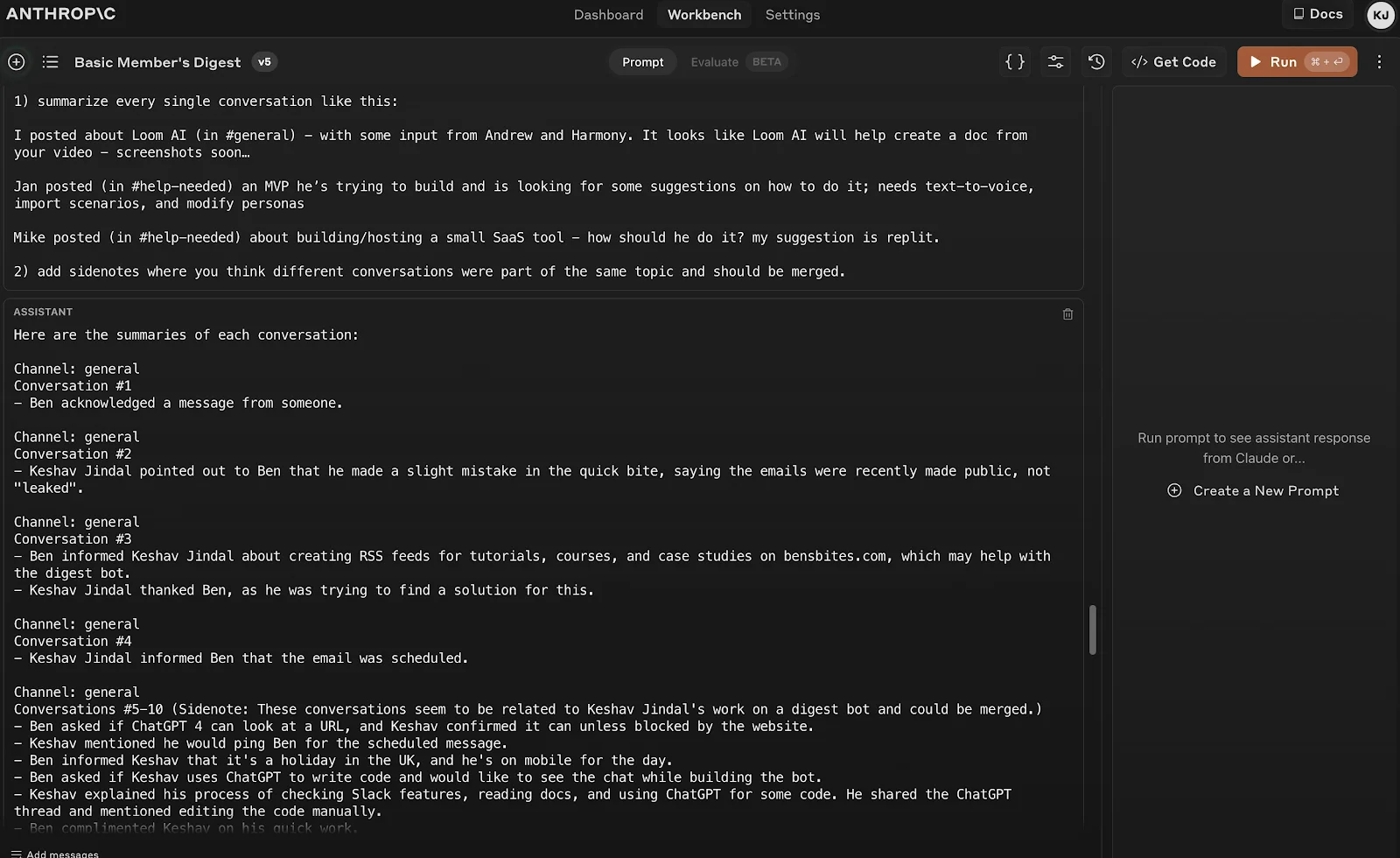
- Top LLMs (like Claude 3 Opus) worked well even when we included all Slack conversations in a single prompt. We went ahead with this approach. Separating conversations and summarising them one by one might allow the use of weaker but cost-effective LLMs (like Claude 3 Sonnet) and more granular control.
3. From hack to product
The next iteration was to build this process into a tool, removing the hassle of manually copy-pasting and allowing anyone in the team to create these summaries. With a proof of concept in hand, we had enough insight to build a proper tool - and by proper, I mean one that worked well enough that we could show it off.
Getting technical, but keeping it simple
My journey building this “proper” tool started with confirming that the free version of Slack allowed what we needed (it did, hallelujah. All the dreams for this tool would’ve been shattered if not).
Next up was figuring out which Slack feature to use for this. Slack Apps gave us the functionalities we needed while workflows or automation were limited. I also spent a few hours reading Slack docs as I was slightly suspicious of ChatGPT making up API endpoints.
Our super-high-tech stack ended up being refreshingly simple:
- A Slack app (for accessing our community data)
- Claude API (for summarisation - it excels at writing tasks)
- Replit (for hosting and running our code without unexpected bills)
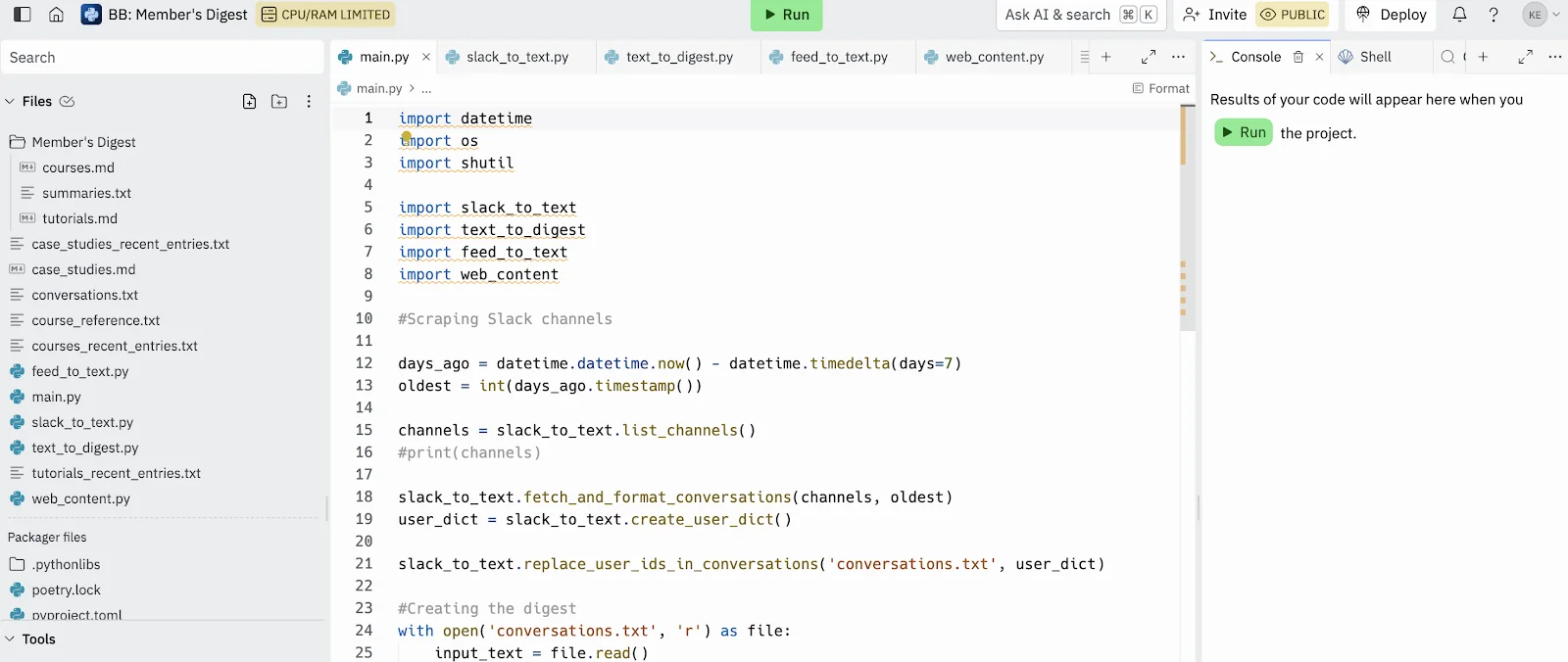
We opted for a human-in-the-loop solution without a fancy front-end. In other words, our entire UI consists of Replit's big green 'Run' button (see image below).
Building the Slack bot: A comedy of errors
Creating the Slack bot was… an experience. I started with a Replit tutorial and template. It helped me with navigating the process but the code was too fancy (I couldn’t understand it). So, I deleted the code and started from scratch.
To create our Slack bot, I:
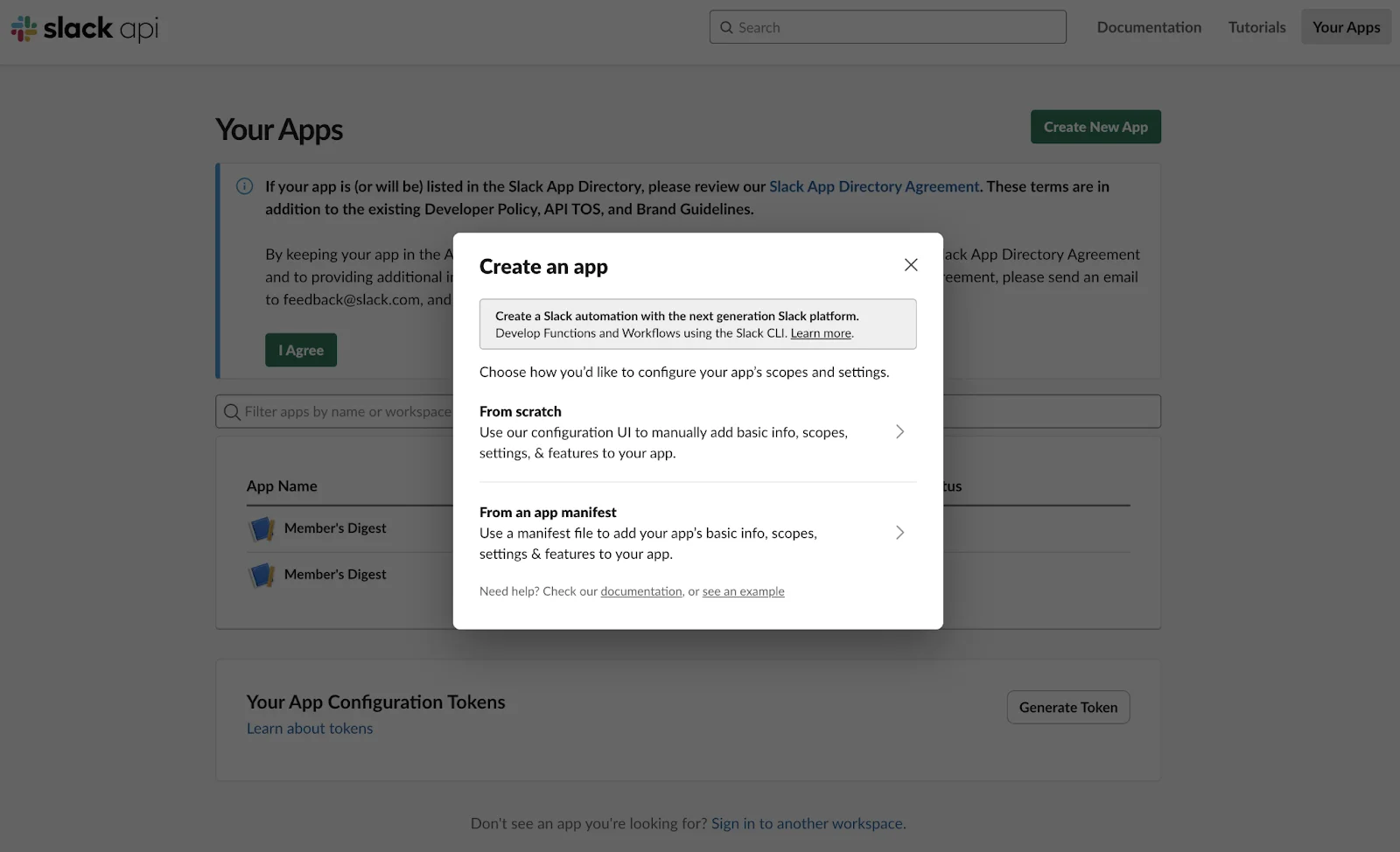
- Went to https://api.slack.com/apps/ and created a new app from scratch.
- Named it, connected it to our Slack workspace, and added necessary permissions (having read the docs helped here).
- Added it to relevant channels. The command is /invite @your-bot-name.
Some words of caution here:
- I chose our internal Slack workspace to test the bot before adding it to our community workspace.
- I only provided the bot with ‘read’ permissions, no ‘write’ permissions. So, it can’t change anything in our workspaces.
After creating the Slack bot, most of the work happened in a code editor. I copied an example from Slack’s developer docs to the blank python files I was left with and began coding.
The coding process involved a lot of back-and-forth with ChatGPT. Here's a glimpse into some of my queries:
- "I need a Python script that gives me the list of all channels my app can see in a Slack workspace."
- "Make my Slack token private. Use os.environ and tell me where to add the token."
- "How do I use pip install in VS Code?" (Yes, I had to ask this. No, I'm not ashamed.)
- “How do I make these local python files work within Replit?”
- “Why am I getting this: error, not in channel" (I forgot to add Slack bots to channels, apparently bots need invites too.)
Making it idiot-proof (sorry, Ben)
The best tools are the most user-friendly. To enable Ben and the rest of the team to simply copy-paste the Slack summaries into our email editor, I needed the final tool output to be an easy-to-edit document. I'm no code wizard though, so building a document editor was out of the question.
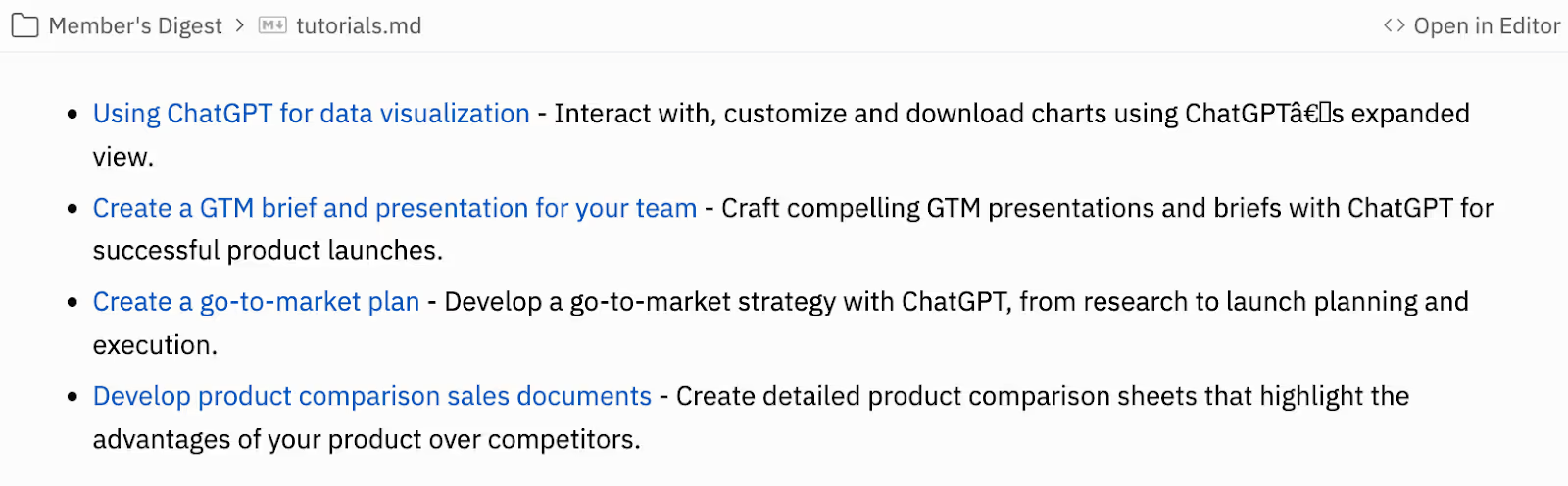
So, I came up with a simple solution. After processing the Slack data, I added a small code snippet that converts the output into text files and moves them to a folder named "Member's Digest" in the same Replit project.
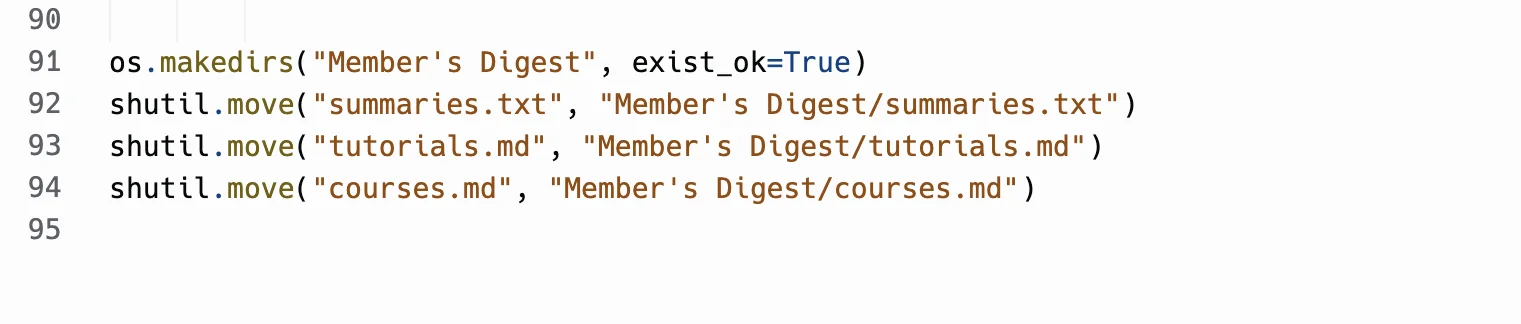
Here’s how the output shapes up in that folder:
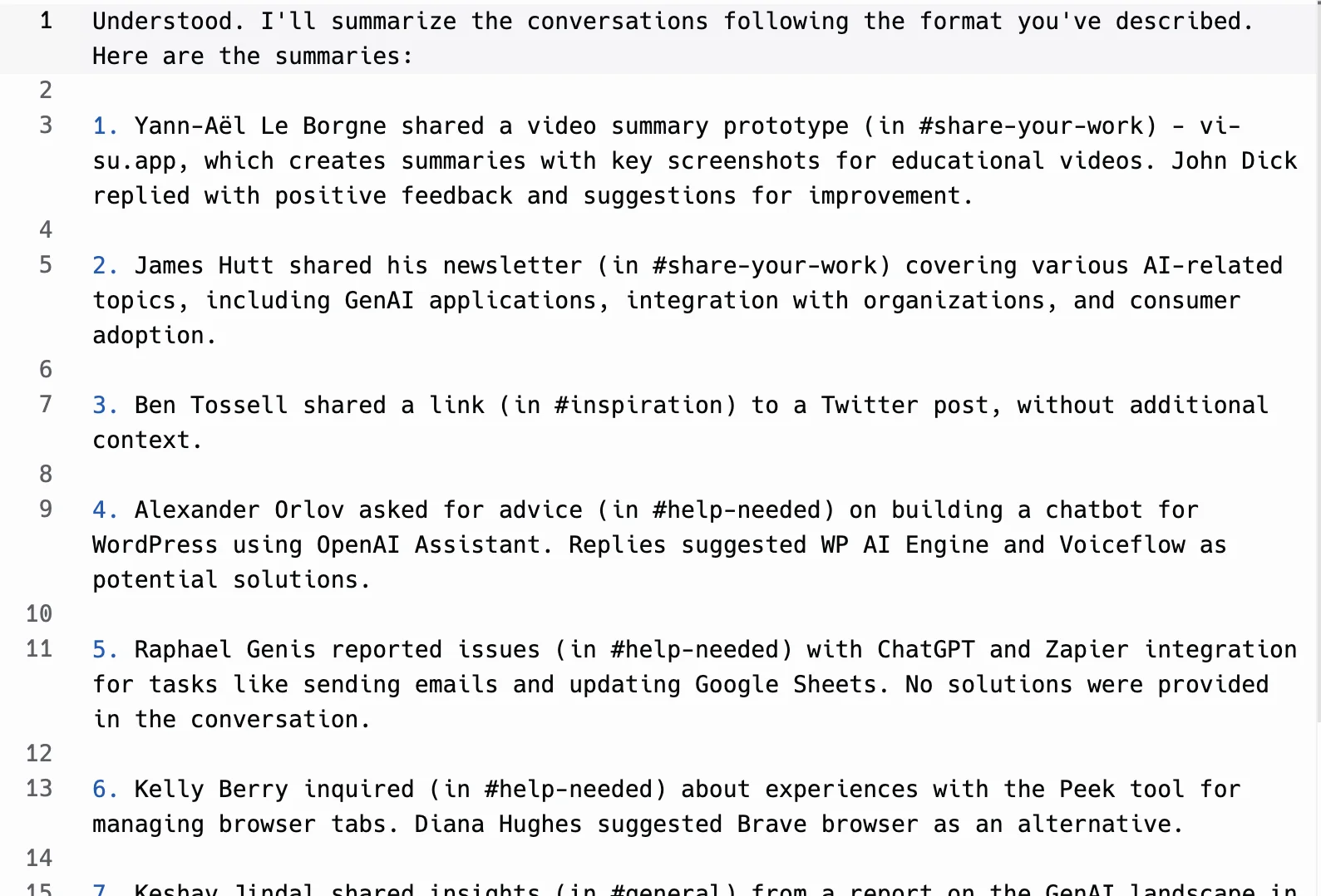
- "summaries.txt" - A list of Slack conversation summaries
- "tutorials.md" - A markdown file of our recently published tutorials with meta descriptions
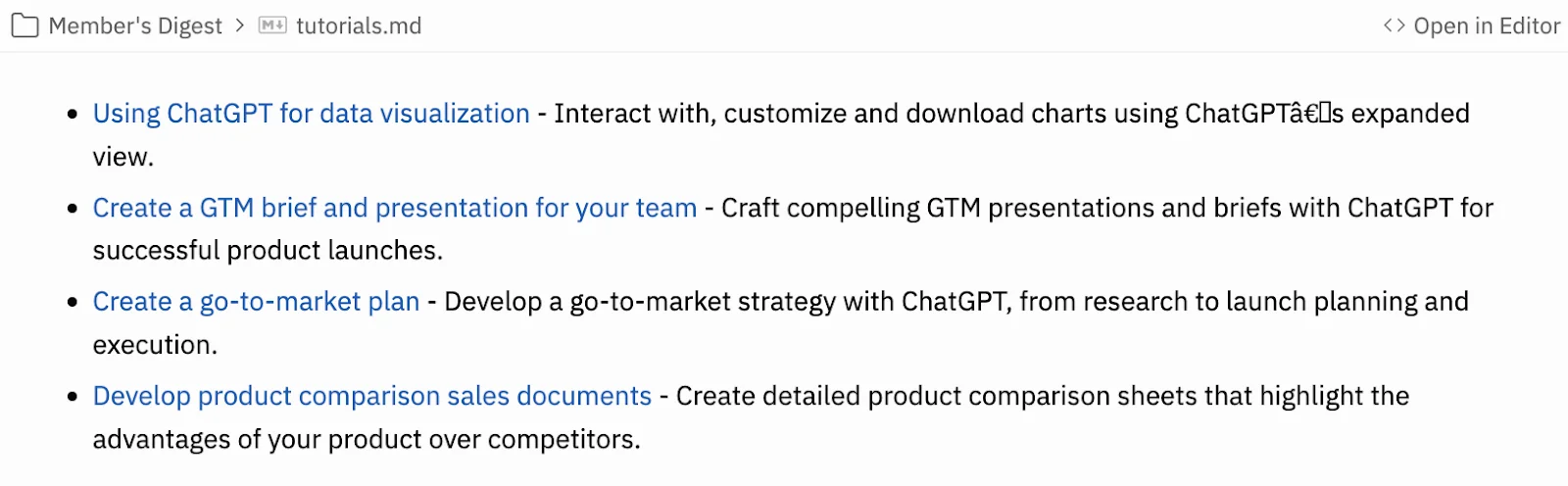
- "courses.md" - Another markdown file, but for courses.
This folder structure allows us to add features without overcomplicating development. Because, let's face it, we're going to want to add more bells and whistles later.
Results: We're not fortune 500 (yet), but we're getting there
To date, we've sent six Member Digests using this AI tool. The time saved is significant, but more importantly, it's helping our members stay engaged with the community's knowledge sharing. We've also added tutorials and case studies from our RSS feed to the digest, further increasing its value. Yes, these were low-hanging fruits. But if we're going to build a tool, we might as well make it do everything, right?
What's next?
The weekly Slack summary tool is now open-source and available to the Ben's Bites community. We've set up a Replit project with a basic README to get you started. Don’t judge our code (we're not professional programmers!), but it's functional and ready for you to try out. Feel free to experiment, improve, or adapt it for your own use-case.
Remember, the key to successful community building isn't just getting users to sign up; it's getting them to stick around and engage. With this tool, we're making sure our members don't miss out on the wealth of knowledge shared in our community, even if they can't keep up with every message. And we’re freeing up our time so we can spend it on creating more and more value for our members.
So, next time you're faced with information overload in your community, remember: there's probably an AI for that. And if there isn't, well, you might just build it yourself.