
Pick a project—build in minutes
Got 2 mins? Build your first app...
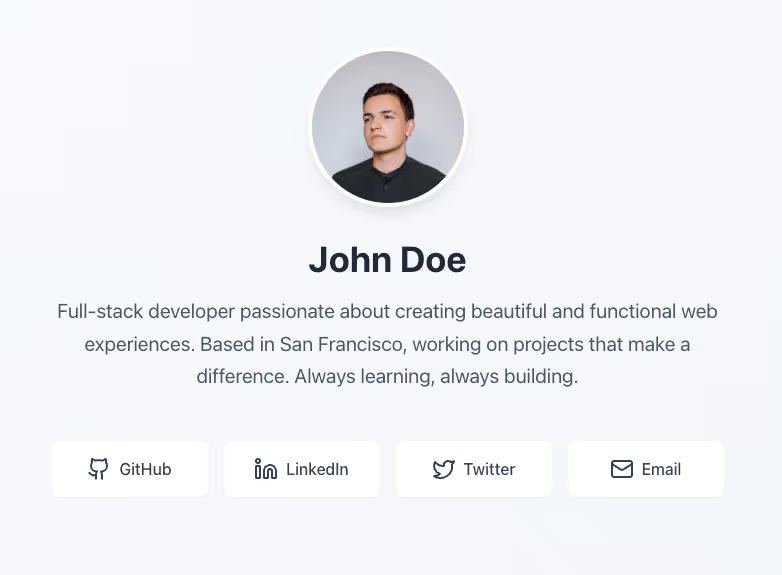
Create a simple personal webpage with a brief bio, a photo, and buttons linking to your social media profiles or other projects—ideal for a “link in bio” setup.
Mini PRD
Project Overview:
Build a single-page personal site with a short intro/bio, one main photo, and 3–5 links to social media or external pages. Should be mobile-friendly and visually appealing.
Key Features:
- Header with my name or handle.
- Bio section (a few sentences) + one photo.
- Buttons or cards linking to my social media profiles (e.g. Twitter, LinkedIn, Instagram).
- Minimal color scheme and simple layout, easy to edit.
- Responsive design so it looks good on phones.
Success Criterion:
A deployed web link I can share (like a mini portfolio), with clear text and clickable links, all working on both mobile and desktop.
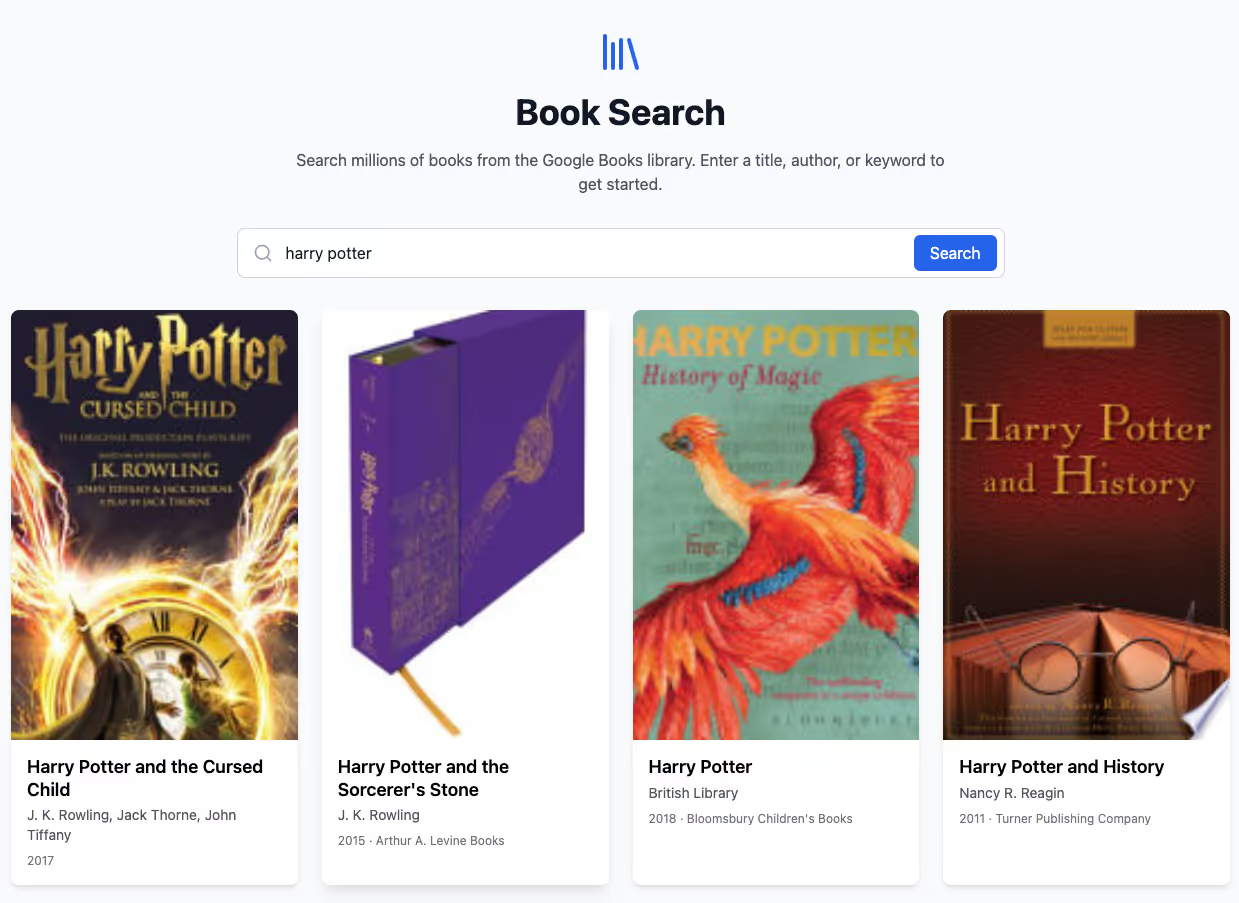
Build a small web app that fetches data from a public API—e.g. Google Books. Users type a search term (like “AI” or “Harry Potter”) and see a list of matching books (title, author, maybe a thumbnail).
Mini PRD
Project Overview:
A basic site where users can search for a keyword, and the app fetches matching results from a public API. The example here uses Google Books API, but you can adapt it to any other public API.
Key Features:
- A search bar where users enter a query (e.g., “Moby Dick”).
- On submit, call the Google Books API (or similar) to fetch a list of books.
- Display book info: title, author, cover thumbnail if available.
- Simple styling with results displayed in a clean list or grid.
- Handle errors or “no results found” gracefully.
Success Criterion:
A working search feature with real-time data from an external source. Users can type a query, see relevant results, and click on a book to view more details (optional).
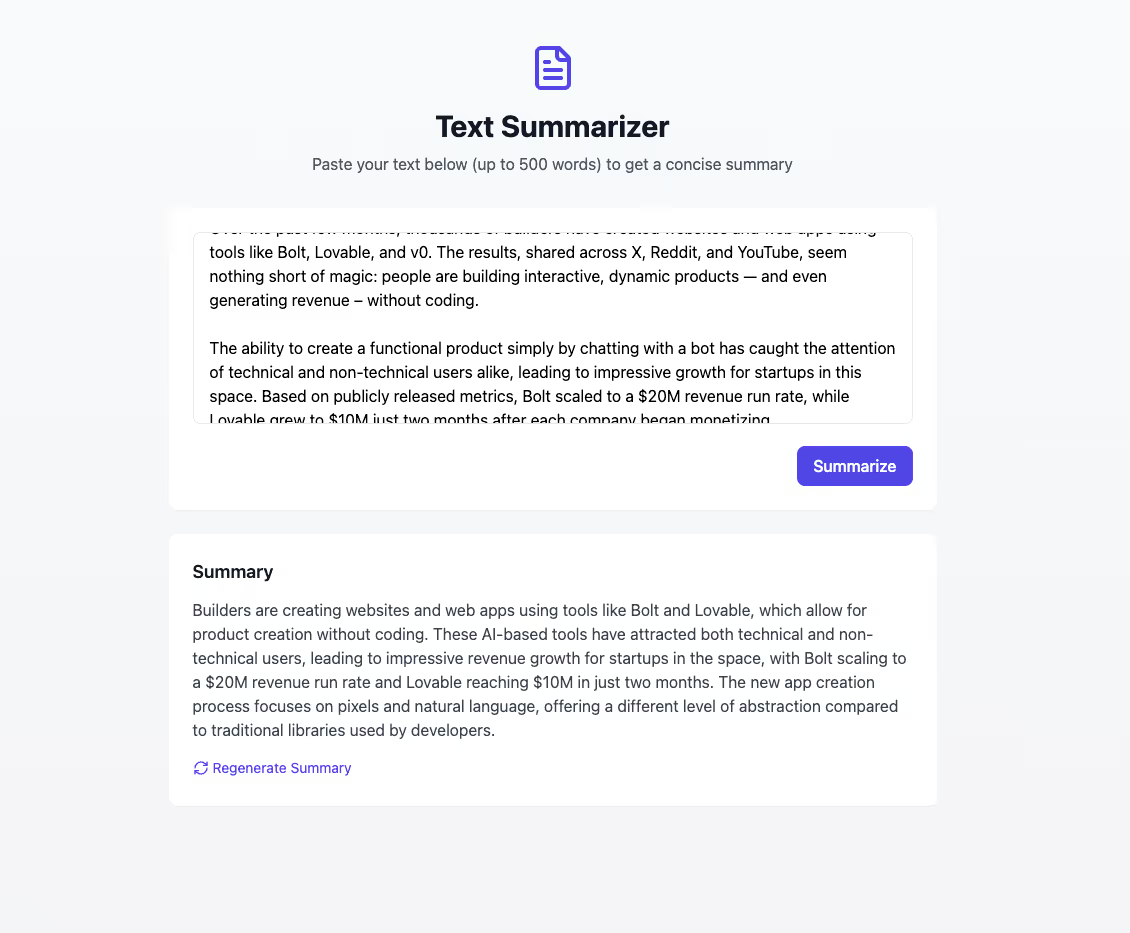
Create a small tool where the user pastes a paragraph or two of text, and the AI returns a short summary.
💡Tip: You'll need an AI API key (e.g. OpenAI, Anthropic) for this to work properly!
Mini PRD - Copy me!
Project Overview:
A single-page web tool for summarizing text. User pastes up to 500 words of text, and the AI outputs a concise summary (1–2 sentences).
Key Features:
- Textarea for the user’s input text.
- “Summarize” button that triggers an AI call or prompt.
- Displays the summary below the button.
- Clean, minimal design (just a title, instructions, textarea, button, summary output).
- Optional: a “Regenerate” button to get a different summary.
Success Criterion:
You can paste a block of text (like a news article excerpt) and get a short, coherent summary. Deployed as a quick utility app anyone can use.
.avif)


Here's some helpful resources for you:
- A recorded workshop with Bolt
- our getting started guide for Bolt
- open up bolt.new
.avif)
Here's some helpful resources for you:
- tutorials on building with Replit
- our getting started guide for Replit
- open up replit.com

Here's some helpful resources for you:
- our getting started guide for Cursor
- open up cursor.com
.avif)


- stuck and want some help?
- want to push these projects further?
- want supportive feedback?
Our pro community is made for you. We're AI builders helping one-another, we host live sessions, have 400+ bite-sized courses, tool discounts and more.
Snackable advice, education, events and more.

Our members love it—you will too
"I didn't start reaping the full benefits of AI until I joined the Ben's Bites community. The biggest value to me personally is the amazing community of smart people that I now can ask any question."
.avif)
"I highly recommend Ben's bites to anyone who is interested in making themselves work smarter and faster particularly as a solo-entrepreneur."

"Ben's Bites has significantly improved my ability to integrate AI tools into my business. There's a community of helpful people with mixed backgrounds and skills, so there's always someone to answer questions. Importantly, the community isn't overwhelming - very easy to jump in and out as you have time and not feel any FOMO."

"I'm part of a bunch of AI communities and have done a few paid courses on AI, but Ben's Bites is the best value for money. The events hosted by Ben are a great source of practical, real-world knowledge."
.avif)
"If you want to stop spinning your wheels and actually figure out how AI can move the needle, Ben’s Bites is where you need to be."

“When you get stuck on something that's too new for google or AI to help, then Ben's Bites is my go-to place. The slack community is super responsive, the tutorials are fantastic & the price is crazy cheap.”
.avif)
Accelerate your AI skills with our popular courses








Dive into content that actually helps you

That's just a taste—ready to take your first bite?

Frequently asked questions
When you sign up for a pro tier you'll be auto-invited by email to join our community in Slack. This is where you can ask questions, share insights, and collaborate with peers to accelerate your AI learning journey.
We have over 400 courses and tutorials covering various AI tools and applications, including ChatGPT, Claude, Google Gemini, Microsoft Copilot, and Midjourney.
Our content spans multiple domains such as marketing, sales, customer support, project management, and more.
We add new content as often as the AI world evolves, i.e. frequently.
You’ll be the first to know via our newsletter.
In addition to our on-demand courses and tutorials, we host weekly live workshops led by industry experts. These sessions demonstrate real-world AI applications—they’re a great opportunity for interactive learning.
Yes, whenever you finish a course, you’ll get a certification that validates your AI skills and knowledge, which can be shared with employers or on professional platforms.
You get the same content access no matter which plan you choose.
The main difference is the team plan is for multiple seats, team management, the ability to assign content to team members and view team progress.
Our Team plan includes features for team management, allowing you to assign content to team members, monitor their progress, and manage seats flexibly through an admin dashboard.
You can upgrade any time and just pay the difference between what you've already paid and the company plan price. Just upgrade on the pricing page of the website or contact us if you need some help.
If you want access to our platform but price is the issue, just email us and we'll see what we can do.
We already offer parity pricing and do have discounts available for students, educators and veterans.
By subscribing to our free weekly newsletter, you'll receive updates on AI news, tools, and resources that are relevant to your work, helping you stay informed about the latest developments in the AI field.
Have another question?
We're here to help