

Create better content faster with AI
AI has transformed content creation, making it easier and faster to generate everything from podcasts to social media posts. Whether you're a busy professional or a content creator looking to automate tedious tasks, AI tools can help you streamline your workflow and produce high-quality content with minimal effort.
In this post, we'll explore seven practical ways you can use AI to automate and optimize your content creation process, from transforming voice notes into blog posts to converting videos into written documentation.
TL;DR - This post walks through using AI to:
- Automate generating podcasts from current news
- Transform long-form content into social media posts
- Convert videos into written docs
- Turn notes into an eBook
- Develop industry-specific white papers
- Turn blog posts into FAQ content
- Create structured content from voice notes
Let’s dive in.
1. Use AI to automate generating podcasts from current news
Keeping up with industry news can be time-consuming. But you can simplify and automate this process by using AI to turn the latest articles into a daily audio summary. With tools like Zapier and OpenAI, you can automatically gather news, summarize it, and convert it into a podcast episode delivered directly to your inbox.
This workflow is perfect for professionals who need to stay informed but struggle to find time to read long articles, such as executives, marketers, or entrepreneurs. It’s also ideal for teams that want to distribute industry news updates internally in a more accessible format.
Here’s a quick overview of how it works, with more detailed steps in the full tutorial linked below.
How to use AI to create a personalized industry news podcast
1. Set up an RSS feed in Zapier.
Choose the industry news sources you want to track, and Zapier will pull in the latest articles automatically.
2. Summarize the articles using ChatGPT.
AI generates concise summaries from the articles, which can then be used as podcast scripts.
3. Convert the text to audio.
Use OpenAI’s text-to-speech to transform the summaries into natural-sounding speech.
4. Publish as a podcast.
Receive the audio file via email or upload and share it as a podcast using tools like Transistor.
2. Transform long-form content into social media posts with AI
If you need to maintain an active online presence without slaving away spending hours re-working long-form content, listen up. AI can automate a lot of this process and save you hours of manual work. The team at Every have created a tool called Spiral. With Spiral, you can create (or use pre-made) individual AI “bots” that carry out writing tasks for you. For each bot, you set instructions or parameters, then whenever you use the bot it will perform the same function each time. You can share Spirals with your team too - ideal for collaboration on content.
Example: Here at Ben’s Bites, we use a Spiral we created to write event descriptions for our upcoming live workshops. We simply have to give the Spiral some info on the host and the points they plan to cover in the workshop, and Spiral does the rest.
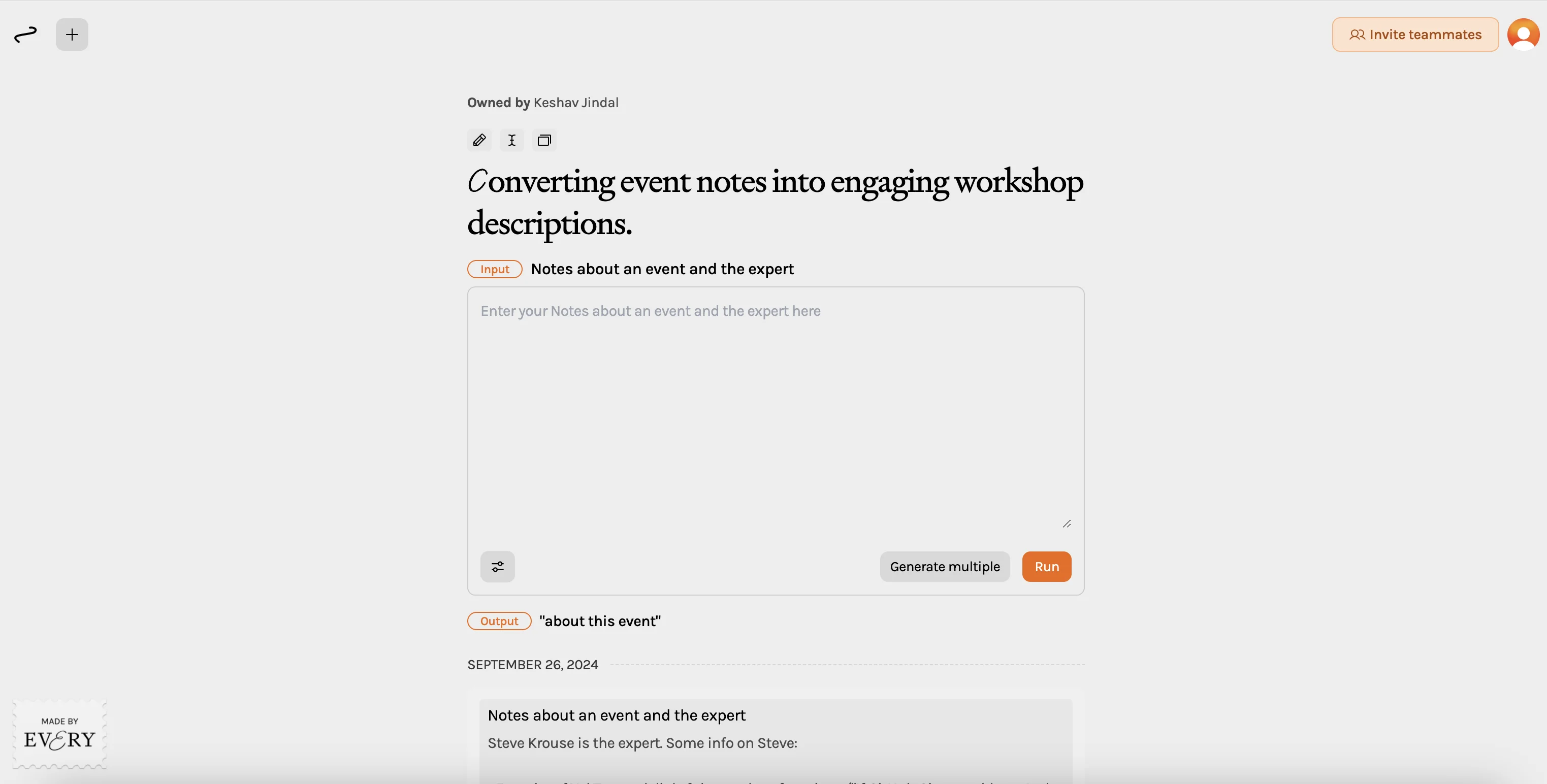
Beyond just writing, Spiral makes it easy to repurpose content too. You can quickly turn blog posts, newsletters, and video transcripts into social media-friendly formats like Twitter threads or LinkedIn updates.
Here’s a quick overview of how it works, with more detailed steps in the full tutorial linked below.
How to transform long-form content into social posts with Spiral
1. Set up an account on Spiral.
Create a free Spiral account, then explore public Spirals that can help automate content transformation.
2. Select your content for transformation.
Choose the blog post, newsletter, or transcript you want to repurpose. Spiral will guide you through the steps to input this content.
3. Run the Spiral to generate social posts.
After inputting your content, Spiral will automatically generate posts tailored for different platforms, such as Twitter or LinkedIn.
4. Review and customize the output.
Check the generated posts for accuracy, make any necessary adjustments, and then copy them for publishing on your social accounts.
3. Use AI to convert videos into written docs
Videos are great for conveying information. But what if you have videos and want to turn them into text? That’s something we do here at Ben’s Bites, turning expert workshop recordings into transcripts and blog posts. Doing this manually would take hours, but AI does the heavy lifting and turns a complicated task into a far quicker one.
One way to do it is to use ChatGPT. With this AI-powered assistant, you can quickly transform video transcripts into clear, structured written documents such as standard operating procedures (SOPs), social media posts, or emails.
This workflow is ideal for content marketers, training teams, or project managers who need to document video content efficiently. It's also useful for businesses looking to repurpose video tutorials or webinars into blog posts or internal guides.
Here’s how it works:
How to convert videos into written documentation
1. Generate a transcript from your video.
Use a tool like Loom or Descript to automatically generate a transcript from your video content.
2. Upload the transcript to ChatGPT.
Feed the transcript into ChatGPT, asking it to generate a structured document, such as an SOP, email, or social post.
3. Customize the output.
Review the generated content, adjust any sections as needed, and format it appropriately for your audience or platform.
4. Distribute the documentation.
Use the final content in internal guides, blog posts, or emails, ensuring the video content reaches more formats and audiences.
4. Turn notes into an eBook using AI
If you’re a content creator, educator or entrepreneur, packing your expertise into a downloadable eBook is an excellent way to expand and scale your reach. eBooks also make great lead magnets for engaging audiences and generating leads. And thanks to AI, creating one is easier than you might think.
In our step-by-step tutorial, we teach you how to use Claude and Gamma to organize notes and flesh them out into a well-structured eBook. Here’s a quick overview of how it works.
How to create an eBook from your notes
1. Organize your notes with Claude.
Upload your notes to Claude and use AI prompts to generate a clear outline, organize the key points, and develop the content for each section.
2. Design your eBook with Gamma.
Copy the generated content into Gamma, select a design template, and let Gamma format it into a cohesive and visually appealing eBook.
3. Review and refine the design.
Go through the eBook, adjust the layout, and make any edits to the text or design elements as needed.
4. Download and publish your eBook.
Export your eBook as a PDF and share it as a lead magnet, digital product, or downloadable resource for your audience.
5. Use AI to develop industry-specific white papers
Want to establish yourself as a thought leader in your industry? There are many ways to go about it, and white papers are one such way. Using an AI tool like ChatGPT, you can research, draft, and refine high-quality, data-driven white papers tailored to your audience. Using the workflow outlined below, you can combine deep industry insights with persuasive narratives, without the heavy lifting of manual research and writing.
This is ideal for B2B marketers, consultants, and business leaders who need to produce compelling, research-backed content to showcase their expertise. It’s also a great solution for companies looking to create detailed, authoritative resources to share with clients or prospects.
Let’s take a look at how you can create white papers using AI.
How to develop industry-specific white papers with AI
1. Define your objectives and audience.
Use ChatGPT to help outline your white paper’s purpose, key objectives, and the specific audience it’s targeting.
2. Research industry data and trends.
Prompt ChatGPT to gather relevant statistics, market trends, and industry insights, allowing you to quickly build a data-rich foundation for your paper.
3. Generate a draft with a strong narrative.
Use ChatGPT to write the draft, structuring the content logically with an executive summary, key findings, and real-world examples.
4. Refine for thought leadership and SEO.
Optimize the white paper for search engines by incorporating keywords and refining the content to reflect your company’s expertise and unique insights.
6. Use AI to turn blog posts into FAQ content
FAQs are a great way to improve user experience and boost your SEO. With AI, you can pull content from your blog posts or guides and transform it into helpful, relevant FAQs quickly and repeatedly. We recommend using an AI chat tool like ChatGPT and an automation tool like Zapier to build a seamless workflow.
If you’re a content marketer, SEO specialist, small business owner or customer support team wanting to enhance your websites without writing new content from scratch—this workflow is for you.
How to generate FAQs from blog posts
1. Extract content from a blog post.
Use Zapier to pull text content from your Google Docs or blog post automatically.
2. Generate questions and answers with ChatGPT.
Ask ChatGPT to analyze the blog post and generate relevant FAQs based on the content.
3. Format and edit the FAQs.
Review the generated questions and answers, make adjustments as necessary, and format them for your website.
4. Append the FAQ content to your blog post or create a new post.
Add the FAQ section to your existing post, or create a standalone FAQ post to boost SEO and provide value to your readers.
7. Use AI to create structured content from voice notes
If you’re someone who prefers to talk through your ideas instead of typing, AI can help you convert unstructured voice notes into polished content. Using ChatGPT’s voice prompts, you can create everything from Twitter threads to LinkedIn posts or blog articles—just by speaking into your device.
This workflow is ideal for busy professionals, content creators, or entrepreneurs who want to create content on the go, without sitting down to type. It’s especially helpful for those who have a lot of ideas but not enough time to write them down.
Here’s how we recommend you go about it.
How to transform voice notes into structured content
1. Record your voice notes in ChatGPT (which now has ‘advanced mode’).
Using the ChatGPT mobile or desktop app, hit the microphone icon and start dictating your ideas for a blog post, Twitter thread, or LinkedIn update.
2. Generate content from your voice.
ChatGPT will automatically convert your voice notes into text. You can ask it to format that text into a structured post or thread for the platform of your choice.
3. Edit content with additional voice prompts.
If needed, you can make edits to the generated content by recording further instructions, allowing you to tweak the final output without typing.
4. Publish the content.
Once the text is ready, copy it from ChatGPT and paste it into your preferred platform, such as Twitter, LinkedIn, or your blog.
Liked this post? You might enjoy these too:
Share with a friend